












How to Use the Auto Cook Timer to Delay Your Oven
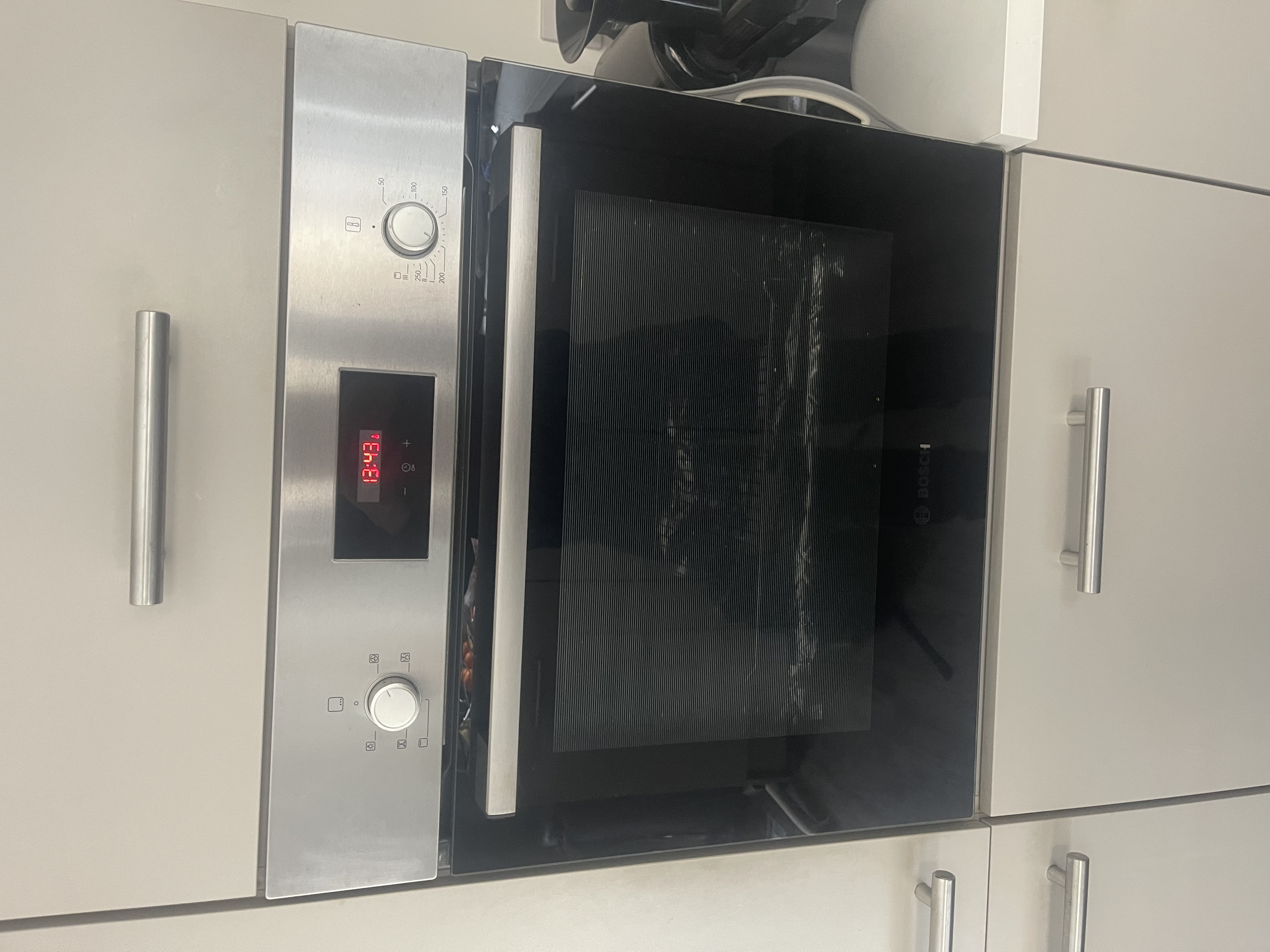
Most modern ovens come with an electronic timer built into the control panel, and one of the handiest things it can do is start cooking for you while you're out. Get the oven auto cook timer set up properly and you can come home to a meal that's already cooked, with the oven having switched itself on and off at the times you chose.
It's a genuinely useful feature, but it does trip people up. The same timer that runs the delay-start function also acts as the main oven's on/off switch, so if it isn't set the way it expects, the main oven simply won't fire up. Here's how the feature works, how to use it, and how to get back to normal manual cooking when you're done.
What the auto cook timer actually does
On an oven fitted with an electronic timer, the timer is designed to tell the main oven when to come on and when to turn off again at specific times. In other words, the timer becomes the on/off switch for the main oven.
That's the key thing to understand. With a programmable timer, the oven won't necessarily heat just because you've turned the dial. The timer has to be happy first. This is what makes the delay-start (auto cook) function possible: you're effectively telling the oven, "don't start yet, wait until later, then run for this long and stop."
Auto mode vs manual mode
There are two ways to run a main oven that has an electronic timer:
- Manual mode: the oven works as you'd expect, heating up as soon as you set the temperature and staying on until you turn it off yourself.
- Auto (timed) mode: you program a start time and a stop time, and the oven switches on and off by itself at those points.
The confusion usually comes when an oven is left in auto mode (or the timer hasn't been set), and the user expects it to behave manually. The oven looks fine, the controls respond, but the main oven won't heat because the timer is waiting for instructions or for its programmed start time.
How to set the oven to delay start
The exact button sequence varies a lot between brands and models, so the steps below are the general principle rather than a one-size-fits-all guide.
- Make sure the clock is showing the correct time of day first. The timer uses the real time to know when to start cooking.
- Put your food in the oven and choose your cooking function and temperature.
- Set the cooking duration (how long you want it to cook for) or the end time (when you want it to finish), depending on how your model works.
- Confirm the program. The display will usually show that the oven is in auto mode and waiting.
- The oven will switch itself on at the calculated time and turn off again when the program finishes.
Because there are so many different timers across the various brands, the buttons and symbols won't be the same on every appliance. If you have your oven's instruction booklet to hand, check it for the precise steps. Some brands are very simple to navigate; for others you may need to search online for the instructions for your particular model.
A quick food safety note: if you're delaying the start by a long time, be sensible about leaving raw food (especially meat, poultry and fish) sitting at room temperature in the oven before it begins cooking.
Why the main oven can seem 'stuck off'
This is the most common reason people think their oven has developed a fault when it hasn't. If the timer is left in auto, or it's flashing and hasn't been set, the main oven simply won't switch on.
It happens most often after a power cut, or when the power has been turned off for cleaning. When the supply comes back, you'll often find the clock flashing on the display. In that state, the main oven will not turn on no matter what you do with the dials.
What throws people even more is that the timer usually doesn't control the top oven or grill. So the top oven works perfectly while the main oven stays cold, which makes it look like the big oven has failed when really the timer is just waiting to be set.
How to get the main oven working again
The good news is the fix is usually quick, and you don't need to be precise about it.
- You do not need to set the correct time of day to get the main oven heating again.
- You simply need to set a time, any time, to stop the clock flashing.
- Once the display stops flashing and shows a steady time, the main oven should respond to the controls as normal.
Naturally, if you want to use the delay-start feature afterwards, you'll want the clock set to the actual time so the auto program runs when you expect. But to get cooking right now, stopping the flash is all that's needed.
Returning to manual control after using auto cook
When your timed program has finished, the oven may stay in auto mode rather than letting you cook manually straight away. To carry on cooking normally, you'll usually need to cancel or clear the auto program and switch the timer back to manual. Again, the exact method depends on your model, so check the booklet or look up your model's instructions if the buttons aren't obvious. Once it's back in manual, the oven heats on demand as usual.
When it's not the timer settings: a genuine fault
Occasionally the timer itself develops a fault. If that happens, it can stop the main oven from switching on completely, no matter how you set the clock or the program.
So if you've set a time, cleared any auto program and the clock is no longer flashing, but the main oven still won't come on, the timer module may be faulty. That's a repair rather than a settings issue, and it's worth having an engineer look at it.
Get it checked by an engineer
If you've tried adjusting the time and program and the main oven still won't fire up, you may need a hand. Our engineers work on all the brands we repair and can diagnose a faulty timer or any other oven problem.
We'll quote a service charge before an engineer attends, which covers all labour, callout and VAT where applicable. If parts are needed, we'll quote those separately before any work goes ahead, and there's no extra labour charge on top. Repairs are backed by a guarantee, with the length depending on the parts fitted and covered under our terms and conditions.
To book, use the Book A Repair button on our website or get in touch with us. You can also call us on 0333 016 9622.
While you're sorting the oven, you might find these guides handy too: why your oven takes too long to cook food and how to change an oven light bulb.
- auto cook
- delay start
- oven timer
- cooking tips
Rather leave it to us?
- Fixed-price quote before any work starts
- Same or next-day visits where available
- UK-wide engineer coverage