












Main Oven Won't Turn On But Top Oven Works? Here's Why
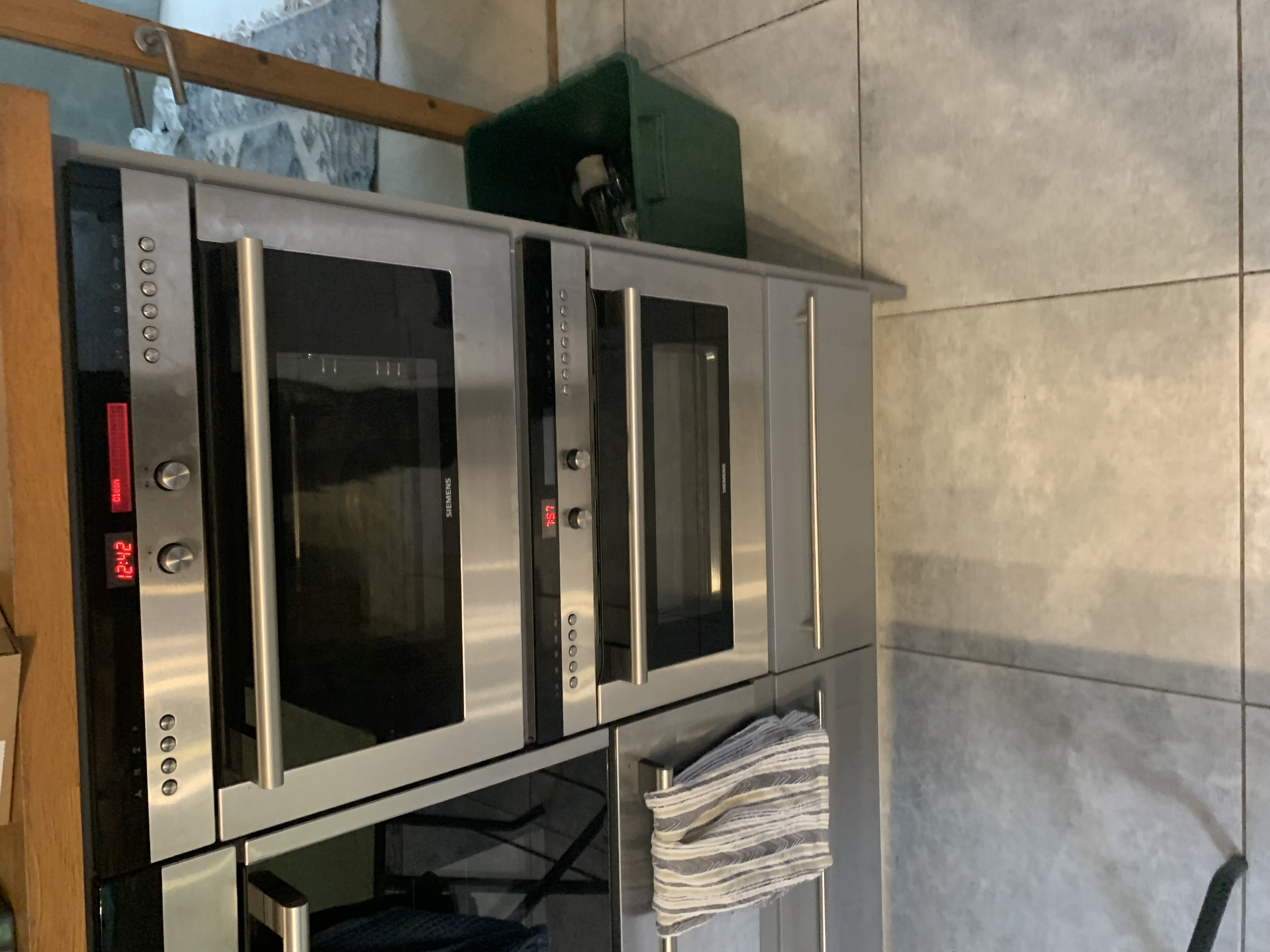
It's a moment that catches a lot of people out. You go to use the main oven, nothing happens, and yet the top oven (or grill) is heating up perfectly. The natural assumption is that the main oven has packed in. In most cases, though, it hasn't. The real cause is usually a small flashing clock on the front of your cooker.
If you've searched for main oven not working but top oven is, this guide walks you through what's actually going on and the quick check that fixes it more often than not.
Why the electronic timer matters
Many ovens are built with an electronic timer, and that timer does more than just tell the time. It's designed so you can program when the main oven turns on and off at set times, which is handy if you want dinner cooking while you're out. The catch is that, in doing this job, the timer effectively becomes the on/off switch for the main oven.
That single fact explains nearly all of these calls. If the timer isn't happy, it simply won't let the main oven fire up.
The flashing clock is the usual culprit
Think back to anything that might have interrupted the power recently:
- A power cut
- Switching the oven off at the wall to clean it
- A tripped fuse or any moment the supply was lost
After any of these, you'll often come back to find the clock flashing on and off. While that clock is flashing, the main oven will not switch on. The timer is essentially waiting for you to acknowledge it before it hands control back to the oven.
Here's the part that fools people. The timer typically has no say over the top oven, so the top oven carries on working as normal. You see one oven working and one that's dead, and it looks for all the world like a fault. In reality, the main oven is just being held back by a flashing clock.
The fix: stop the clock flashing
This is the bit worth knowing. To get the main oven working again, you do not need to set the correct time. You only need to set a time, any time, so that the clock stops flashing. Once it's no longer flashing, the timer releases the main oven and it should behave normally again.
Quick check, step by step
- Look at the electronic timer and check whether the clock is flashing. This is common after a power cut or after the power was switched off for cleaning.
- Remember the top oven may still be working fine while the main oven refuses to come on. That doesn't mean there's a fault.
- Set a time on the timer to stop the clock flashing. It doesn't need to be the accurate time, you just need it to stop flashing.
- Check your oven's instruction booklet for how to set the clock. Timers vary a lot between brands, so if you no longer have the booklet, a quick search online for your model usually turns up the steps.
- Test the main oven. If it now heats, you're sorted.
Why setting the clock can be confusing
There's no single method across all cookers. Different brands use different timers, and the button combinations to set the clock vary from one to the next. On some models it's obvious and takes seconds. On others it's far from intuitive, which is exactly why the instruction booklet (or an online search for your specific model) is so useful here. Without it, people often give up and assume the appliance is broken.
When it really is a fault
Occasionally the timer itself can fail. If you've set a time, the clock has stopped flashing, and the main oven still won't come on, the timer may be faulty. A failed timer will prevent the main oven from switching on completely, so this is the point where a repair is the sensible next step.
An engineer can confirm whether it's the timer at fault and replace it if needed. We quote a service charge before we attend, which covers all labour, the callout and VAT where it applies. The only possible extra is parts, and if any are needed we'll quote those separately before any work goes ahead. There's no additional labour charge on top. Any repair is also backed by a guarantee, with the length depending on the parts fitted and covered under our terms and conditions.
Book a repair using the Book A Repair button on the NAC website, or call us on 0333 016 9622 and we'll get an engineer out to take a look.
A few related reads
If you're working through other oven niggles, these might help:
- Why Your Oven Takes Too Long to Cook Food
- How to Change an Oven Light Bulb: Easy Step-by-Step Guide
- How to Safely Isolate an Appliance Before a DIY Repair
We repair ovens of all makes, so whatever's on the front of yours, take a look at the brands we repair or check our service areas to see that we cover you.
- oven not heating
- flashing clock
- main oven
- diagnostics
Rather leave it to us?
- Fixed-price quote before any work starts
- Same or next-day visits where available
- UK-wide engineer coverage